AI Meeting Notes and Action Item Tracking With Free PM Tools 2026
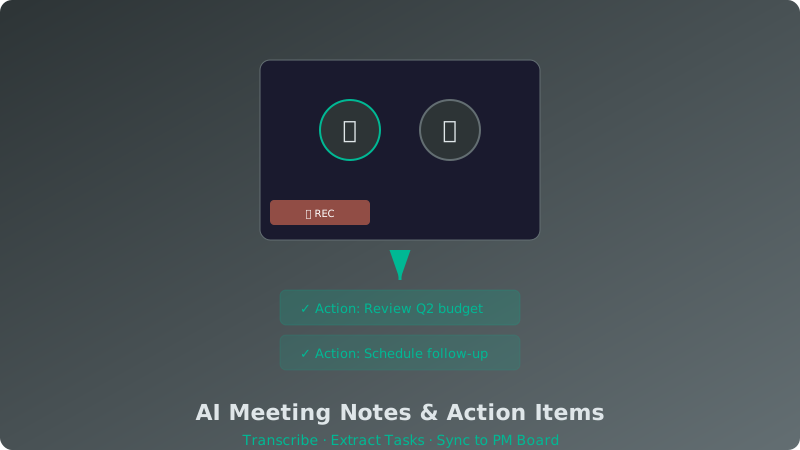
If your team spends more time writing meeting notes than acting on them, AI transcription and action item tools can help. In 2026, several free AI tools can join your video calls, transcribe the conversation, identify action items, and even push those items directly into your project management board. This guide compares the best free AI meeting transcription tools that integrate with popular PM platforms.
The Problem With Manual Meeting Notes
Most teams handle meetings in one of two ways: someone takes rough notes and emails them afterward, or nobody takes notes and action items get lost. Both approaches waste time. Research from 2025 showed that knowledge workers spend an average of 18 hours per week in meetings, and roughly 30% of action items discussed in meetings never get completed — often because nobody clearly documented them.
AI transcription tools solve this by being a consistent, objective note-taker that never misses a detail and automatically surfaces follow-up tasks.
Free AI Meeting Tools Compared
| Tool | Free Tier | Platforms | Action Item Extraction | PM Integrations |
|---|---|---|---|---|
| Fathom | Unlimited meetings | Zoom, Google Meet, Teams | Automatic | Asana, Notion, ClickUp, Trello |
| tl;dv | Unlimited meetings | Zoom, Google Meet | Automatic | Notion, Slack, HubSpot |
| Otter.ai | 300 min/month | Zoom, Google Meet, Teams | Semi-automatic | Slack, Salesforce, HubSpot |
| Fireflies.ai | 800 min/month | Zoom, Meet, Teams, Webex | Automatic | Asana, Trello, Monday, Notion |
| Grain | 25 meetings/month | Zoom, Google Meet | Manual tagging | Notion, Slack |
How Each Tool Handles Action Items
Fathom
Fathom stands out because its free tier has no meeting limit. It records and transcribes your calls, generates a summary, and identifies action items automatically. You can push these directly to Asana, Notion, Trello, or ClickUp with one click. The transcript is searchable, and you can create short video clips from key moments to share with absent team members.
tl;dv
tl;dv also offers unlimited meetings on its free plan and is particularly good at generating concise summaries. Its action item detection is reliable, and it supports tagging specific moments during the call. The Notion integration is well-implemented — meeting notes flow directly into your chosen Notion database as new entries. For teams already using Notion for project management, this is a strong choice.
Otter.ai
Otter is one of the oldest AI transcription tools and has the most polished interface for reviewing and editing transcripts. However, its free tier is limited to 300 minutes per month and 30 minutes per meeting. Action items require more manual tagging compared to Fathom or tl;dv. Best for teams with shorter, fewer meetings.
Integrating AI Meeting Notes With Your PM Tool
The real productivity gain comes from connecting your meeting tool to your project management system. Here is how the workflow typically looks:
- Before the meeting: The AI tool joins your calendar event automatically.
- During the meeting: It records, transcribes, and identifies action items in real time.
- After the meeting: A summary with action items is generated within minutes.
- Action item sync: You review the detected items and push them to your PM board as new tasks, assigned to the right person with a due date.
For Trello users, see our Trello free plan review to understand where meeting-generated cards fit in your board structure. If you use Notion, our Notion free tier guide covers setting up databases that work well with automated meeting inputs.
Building a Meeting-to-Task Workflow
Here is a practical workflow that combines free AI meeting tools with free PM software:
- Step 1: Connect Fathom or tl;dv to your calendar (Google Calendar or Outlook).
- Step 2: Set up a "Meeting Actions" board in Trello or a database in Notion dedicated to meeting follow-ups.
- Step 3: After each meeting, review the AI-generated action items and push them to your PM tool.
- Step 4: During your weekly review, check the "Meeting Actions" board for incomplete items and close out done tasks.
This creates a closed loop where nothing discussed in a meeting falls through the cracks. For more on building efficient workflows with free tools, see our guide on AI workflow automation with free PM tools.
Conclusion
AI meeting transcription and action item tools have reached a point where the free tiers are genuinely useful for small teams. Fathom and tl;dv lead with unlimited free meetings and solid PM integrations. The key to getting value from these tools is not just the transcription — it is the connection to your project management system. When meeting action items automatically become tracked tasks, your team stops losing follow-ups and starts executing faster. Try one for a week and measure the difference in how quickly action items get completed.