Free Project Management Software with Workflow Automation and Approval Features 2026
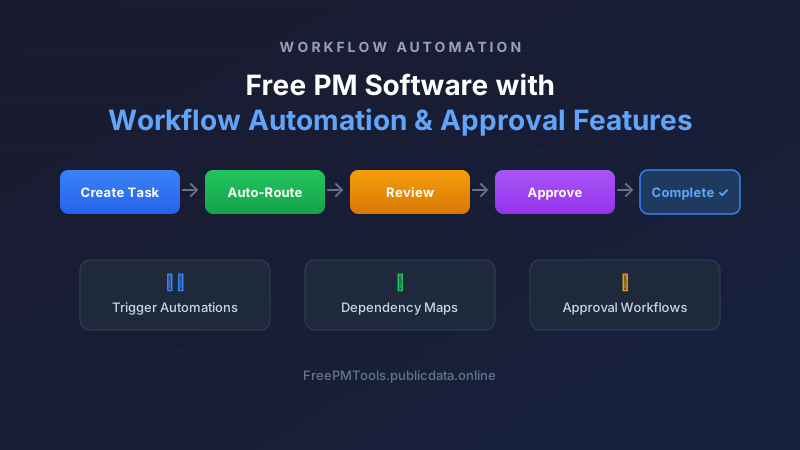
Workflow automation and approval processes are among the most powerful features in project management software — and historically among the most expensive. Being able to automatically route tasks through review stages, trigger notifications when dependencies complete, enforce approval gates before work moves forward, and chain together multi-step automation sequences can transform how a team operates. For small and growing teams operating on free plans, finding a tool that delivers genuine workflow automation without a paid subscription is more achievable in 2026 than ever before.
This guide examines six free project management platforms that offer meaningful workflow automation, task dependency mapping, and approval workflow capabilities on their no-cost tiers. We evaluate ClickUp Free, Trello Free with Butler, Asana Free, Jira Free, Notion Free, and Airtable Free across the automation features that matter most to teams that need to standardize and streamline their project workflows without adding software costs.
Why Workflow Automation Matters for Free PM Tools
Workflow automation transforms project management from a manual checklist operation into a self-driving system. When tasks automatically move through stages, assign themselves to the right team members based on type or priority, send notifications when blockers appear, and require approval before progressing to the next phase, teams spend less time managing the process and more time doing the actual work. For free-tier users who typically have less administrative support, good automation can dramatically reduce overhead.
The key automation features that differentiate free tiers in 2026 include: trigger-based rules that fire when tasks are created, moved, or updated; conditional branching that routes tasks based on custom field values; dependency mapping that chains tasks together so one cannot start until another finishes; approval workflows that require sign-off before completion; and integration hooks that connect to external tools like Slack, email, or Google Drive. Not every free plan offers all of these, but the best ones provide enough automation depth to build robust workflows.
1. ClickUp Free — Best All-Round Automation
ClickUp Free remains the most generous free tier for workflow automation in 2026. The free plan includes unlimited tasks, unlimited users, and a surprisingly deep set of automation features that rival what many paid tools offered just a few years ago. ClickUp's automation engine supports over 50 trigger types and 100+ action combinations, making it possible to build sophisticated multi-step workflows without writing a single line of code.
On the free tier, ClickUp provides unlimited automations — a significant advantage over competitors that cap automation runs. You can set up automations that automatically assign tasks based on their type, move tasks through custom statuses when conditions are met, send Slack or email notifications when deadlines approach, and create subtasks from templates when specific triggers fire. The dependency feature lets you link tasks with "waiting on" relationships, and ClickUp's Gantt view automatically visualizes these dependencies on a timeline.
One limitation: ClickUp's approval workflows require their "Approval" custom field type, which is available on the free plan but only allows single-stage approval. Multi-stage approval chains are reserved for paid plans. For most small teams that need a simple "review and approve" gate, however, the free option works well. The learning curve is steeper than Trello or Notion, but the automation depth is unmatched at this price point.
2. Trello Free with Butler — Best Visual Automation Builder
Trello's free plan, powered by the built-in Butler automation engine, offers a unique approach to workflow automation that is exceptionally visual and beginner-friendly. Butler uses a "When-Then" syntax — when a trigger condition is met, then an action is performed — that can be configured through a natural-language-like interface. You don't need to understand complex rule syntax to build effective automations on Trello.
The free Trello plan includes 250 Butler automation runs per month, which is sufficient for small teams running 8-10 automations per day. Key automation capabilities on the free tier include: moving cards between lists when due dates arrive or when checklist items are completed; assigning cards automatically based on labels or keywords; creating cards from calendar events or form submissions; and setting card and list-based due date reminders. Trello's board-based approval workflow can be simulated by moving cards through a "Pending Approval → Approved" list sequence with Butler rules enforcing the transition.
Trello's dependency mapping is less explicit than ClickUp's — there is no native "this card depends on that card" relationship. Instead, users create dependencies through Butler rules that prevent card movement until linked cards reach a certain status, or by using the "Card Relationship" Power-Up (which is free but limited). For teams that prioritize simplicity and visual clarity over raw automation power, Trello Free remains an excellent choice, and the Butler interface itself is arguably the most enjoyable automation builder to use.
3. Asana Free — Best for Task Dependencies
Asana's free plan introduced significant improvements to its automation capabilities in 2026. The free tier now includes Rules — Asana's automation engine — with a limit of 25 active rules per organization. While this is a smaller number than ClickUp's unlimited rules, each rule can be sophisticated, supporting multiple triggers, conditions, and actions. The free plan also includes task dependencies, a feature that was previously limited to paid tiers.
Asana's dependency mapping is among the best in the free tier market. You can create "blocking" relationships between tasks with a simple drag operation, and the timeline view (formerly Gantt) automatically adjusts dates based on these dependencies. This makes Asana Free particularly attractive for teams that manage sequential project phases, such as product development teams that need design → development → testing → deployment to flow in a strict order.
Where Asana falls short is in approval workflows. The free plan does not include proofing or approval features — these are locked behind the Business tier at $30.99/user/month. Teams that need formal approval gates will need to work around this limitation by using custom fields (e.g., a dropdown with "Pending Review, Approved, Changes Requested") combined with Rules that automatically reassign tasks based on field updates. It works, but it lacks the polish of dedicated approval workflows found in ClickUp or Jira.
ClickUp: Unlimited automations, dependencies included, basic approvals ✓
Trello: 250 Butler runs/month, no native dependencies, simulated approvals ✓
Asana: 25 rules, excellent dependencies, no native approvals ✗
Jira: 200 automations/month, dependencies via sub-tasks, built-in approval workflows ✓
Notion: No native automations (API-based), basic dependencies via databases, manual approvals ✗
Airtable: 100 automation runs/month, linked records for dependencies, Interface Designer for approvals ✓
4. Jira Free — Best for Structured Approval Workflows
Jira's free plan (limited to 10 users) is specifically designed for software development teams, but its workflow automation capabilities can benefit any team that needs structured, multi-stage approval processes. Jira's automation engine on the free tier includes 200 automation runs per month, which is enough for a small team running 5-7 automations daily. What sets Jira apart is its workflow designer, which lets you define precise transition rules, conditions, validators, and post-functions for every status change.
Jira's approval workflows are the most mature on the free market. Using the built-in "Approval" feature, you can configure single or sequential approvals that prevent issues from advancing until the required approvers sign off. The free plan supports up to 10 approvers per issue, which covers most small-team scenarios. Jira also excels at dependency management through its sub-task and linked-issue features, allowing teams to define "blocks" and "is blocked by" relationships between issues.
The downside is that Jira's user interface is more technical and less intuitive than Trello or Notion. For teams without a software development background, the learning curve can be steep. Additionally, the 10-user limit means Jira Free works best for very small teams. If your team has grown beyond 10 members, ClickUp or Asana Free become more practical choices despite having less sophisticated approval options.
5. Notion Free — Best Flexible Database Approach
Notion Free takes a fundamentally different approach to workflow automation. Rather than providing a built-in automation engine on the free tier, Notion relies on its powerful database and relation features to create automated-like behaviors. You can set up linked databases with rollup properties, formula fields that auto-calculate based on other properties, and template buttons that create standardized tasks with pre-filled properties. While these aren't "automations" in the traditional sense, they can achieve many of the same outcomes.
Notion's strength is in dependency mapping through linked databases. You can create a "Tasks" database that links to a "Milestones" database, with rollup properties showing task completion status against each milestone. When a task is marked complete, the rollup automatically updates — creating a dependency chain effect. Notion also supports formula-based status updates, such as automatically setting a "Project Status" field to "At Risk" when more than 50% of tasks are past their due dates.
For true automation, Notion Free users can leverage the API (free up to 500 requests per day via the Notion API) combined with third-party tools like Zapier's free tier (100 tasks/month) or Make (1,000 operations/month). This external-automation approach provides more flexibility than any single tool's built-in engine, but it requires technical setup and maintenance. Notion Free is best suited for teams that already use Notion as their knowledge base and want lightweight workflow management without adding another tool.
6. Airtable Free — Best for Custom Approval Interfaces
Airtable Free offers 1,000 records per base and up to 5 editors, with 100 automation runs per month on the free tier. While the record limit is restrictive for larger projects, Airtable's interface capabilities set it apart for teams that need custom approval workflows. Using the free Interface Designer, you can build a custom approval dashboard where reviewers see a filtered view of records awaiting their sign-off, with buttons that update status fields and trigger notifications.
Airtable's linked record feature functions as a dependency mapping system. You can link "Task A" to "Task B" and use rollup fields to show whether the prerequisite task is complete. Conditional formatting rules can highlight tasks that are blocked by incomplete dependencies. The automation engine supports triggers like "when a record matches a condition" and actions like "send email," "create record," or "update field" — enough to build functional if basic approval flows.
The main limitation of Airtable Free is the 1,000-record cap, which constrains how many tasks and projects you can manage simultaneously. For teams running multiple concurrent projects, this cap fills up quickly. Airtable also lacks native time-based triggers on the free plan — you cannot schedule recurring automations without upgrading. For small teams with lightweight needs and a preference for spreadsheet-style data management, Airtable Free provides a unique combination of automation and custom interface building that no other free PM tool matches.
How to Choose the Right Free Automation Tool for Your Team
Selecting the right free project management tool for workflow automation depends on several factors. Teams that need the maximum automation depth with no caps should choose ClickUp Free — its unlimited automations, built-in dependencies, and basic approval features make it the most complete package. Teams that value simplicity and visual workflow building will prefer Trello Free with Butler, especially if their automation needs are modest (under 250 runs/month).
For teams that prioritize formal approval processes and already have software development experience, Jira Free offers the most sophisticated approval workflow engine despite its 10-user limit. Teams that need the best task dependency mapping with timeline visualization should look at Asana Free, accepting that formal approvals require a workaround. If your team is already deep in the Notion ecosystem, Notion Free combined with API integrations can provide flexible automation, and teams that love spreadsheet-style data management with custom interfaces will appreciate Airtable Free.
Setting Up Your First Workflow Automation: A Practical Guide
Getting started with workflow automation on a free PM tool does not have to be overwhelming. The most effective approach is to identify a single repetitive manual process and automate that first. Common candidates for your first automation include: auto-assigning incoming tasks to the appropriate team member based on task type or source; automatically moving tasks to a "Needs Review" status when all subtasks are complete; setting up a dependency chain between design and development tasks; or creating an approval gate that prevents deployment tasks from starting without sign-off.
Here is a practical sequence for setting up your first automation on any of the tools covered in this guide: First, map out the current manual workflow on paper — identify every trigger, transition, notification, and approval point. Second, determine which of these can be automated with the tool's free tier capabilities versus which require manual steps. Third, build the simplest version first — a single automation rule that handles one transition — and test it with a few tasks before expanding. Fourth, monitor automation logs weekly to catch failures or unexpected behavior. Fifth, gradually expand your automation rules as your team becomes comfortable with the system.
The most successful free-tier automation setups we have observed share a common pattern: they automate no more than 5-8 core workflows, keep all automations documented in a shared space, and review the automation setup quarterly to remove rules that are no longer needed. Over-automating on a free tier is more common than under-automating, and unused automation rules consume your monthly run allowance unnecessarily.
Frequently Asked Questions
Can I build multi-stage approval workflows on a free plan?
Yes, but with limitations. ClickUp Free supports single-stage approval with its built-in Approval field. Jira Free supports sequential approvals with up to 10 approvers. Trello, Asana, and Airtable Free require manual workarounds using status transitions or linked records to simulate multi-stage approval. None of the free plans offer the branching, conditional approval chains found in paid enterprise tools.
Which free tool has the most automation runs per month?
ClickUp Free offers unlimited automation runs with no monthly cap, making it the clear winner. Other free plans cap runs: Trello (250/month), Jira (200/month), Airtable (100/month). Notion Free has no built-in automation engine but its API allows up to 500 requests per day. Asana Free limits active rules to 25 but does not cap monthly executions of those rules.
Do any free PM tools support time-based recurring automations?
Yes, but implementation varies. ClickUp Free supports recurring tasks with automation triggers. Trello Butler can create recurring cards. Asana Free supports recurring tasks natively. Jira Free does not include time triggers in its automation engine on the free plan. Airtable Free lacks time-based triggers entirely — only record-based triggers are available at the free level.
How do I handle task dependencies without a dedicated dependency feature?
In Trello, use Butler rules to prevent card movement until a linked card reaches a specific list. In Notion, use linked database rollups to show dependency status. In Airtable, use linked records with conditional formatting. These workarounds are functional but require more manual setup than ClickUp or Asana native dependency features.
Is workflow automation on free plans reliable for production use?
Yes, for small teams (under 15 users) with moderate automation volume. The automation engines in ClickUp, Trello, Asana, Jira, and Airtable are mature and production-tested. The main reliability risk is hitting monthly run limits, which causes automations to stop silently. Set up monitoring — such as a weekly count of automation runs used — to avoid surprises. All tools except ClickUp send warning emails when you approach your monthly limit.
About FreePMTools — We provide independent, in-depth comparisons of free project management software to help small teams and freelancers find the right tools without wasting money. Our reviews are based on hands-on testing and real-world usage data. Last updated: June 2026.