Free PM Software for Product Teams: Manage Roadmaps at Zero Cost in 2026
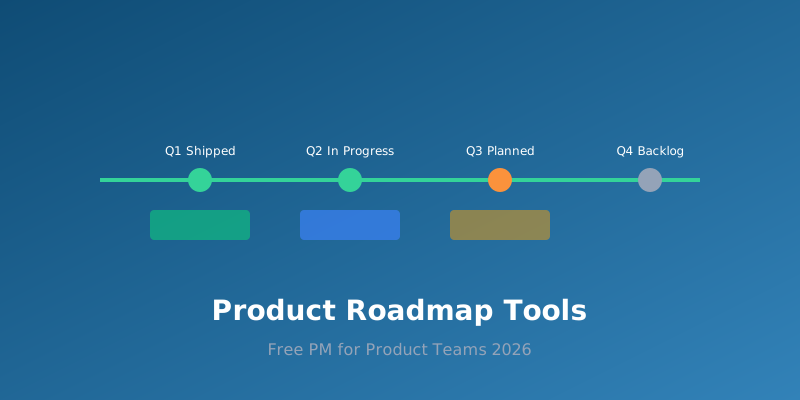
Product teams face a unique project management challenge: they need to balance long-term roadmapping with short sprint cycles, while keeping stakeholders, engineers, and designers aligned. The tools built for this purpose — Productboard, Aha!, and similar — often cost $20-60 per user per month, which adds up quickly. But there are genuinely capable free PM software for product teams options in 2026 that handle roadmapping, prioritisation, and sprint planning without the price tag.
What Product Teams Need from PM Software
Product management has specific workflow requirements that general-purpose project tools don't always address well:
- Feature prioritisation frameworks: RICE scoring, MoSCoW method, weighted scoring — you need a way to systematically rank feature requests rather than managing them as a flat task list.
- Visual roadmapping: Timelines and Gantt charts that show quarterly plans, dependencies between features, and how engineering capacity maps to delivery dates.
- Sprint integration: The tool must connect roadmap items to sprint-level tasks, ideally with backlog management and sprint boards built in.
- Stakeholder communication: Views and reports that non-technical stakeholders can understand — progress dashboards, status updates, and shareable roadmap links.
- Feedback collection: A way to gather, organise, and triage user feedback and feature requests from customers, sales, and support teams.
Best Free PM Tools for Product Teams in 2026
1. Linear (Free tier)
Linear has become the default choice for product-minded engineering teams, and its free tier is surprisingly generous. You get unlimited members, up to 10 team members, and full access to issues, projects, and cycles (Linear's version of sprints). The key advantage is speed — Linear is designed to be keyboard-driven and fast, which matters when you're managing hundreds of features and bugs across multiple products. The free tier includes roadmap views, custom workflows, and integrations with GitHub, Slack, and Figma.
2. Notion (Free tier)
Notion's flexibility makes it ideal for product teams that want to customise everything. Build a product roadmap as a database with custom properties (priority score, target quarter, engineering owner), then switch between table, timeline, and board views. The free tier gives you unlimited pages and blocks, which is enough for a small product team's entire workspace. Templates for product management — including RICE scoring matrices and PRD templates — are available from the community. For a broader comparison of Notion's free capabilities, see our Notion vs ClickUp free tier comparison.
3. Trello (Free tier)
Trello's kanban boards work well for lightweight product management, especially for smaller teams that don't need complex roadmapping. The free tier now includes unlimited cards, up to 10 boards per workspace, and basic automation via Butler. Use labels and custom fields to track priority and status, and create separate boards for your roadmap, sprint backlog, and stakeholder updates. Trello's Power-Ups add roadmap timeline views and integration with tools like GitHub.
4. Height (Free tier)
Height is a newer entrant designed specifically for product teams. Its free tier supports unlimited tasks and projects with up to 5 team members. The standout feature is the built-in AI that can automatically draft task descriptions, break down features into subtasks, and identify blockers. The spreadsheet view is particularly useful for prioritisation — sort features by RICE score and drag them into quarterly buckets on the timeline.
Building a Product Roadmap on Free Tools
A product roadmap on free software doesn't have to look cheap. Here's how to set up a professional roadmap using free tools:
- Create a feature database: In Notion or Height, set up a database with columns for feature name, description, RICE score (Reach × Impact × Confidence / Effort), target quarter, engineering owner, and status.
- Build the timeline view: Switch to timeline/Gantt view to visualise when each feature is planned. Group by quarter or by product area.
- Connect to sprints: In Linear or Height, link roadmap items to sprint tasks so you can track progress at both the strategic and execution level.
- Share with stakeholders: Use the public sharing link feature to give stakeholders a read-only view of the roadmap. Notion and Trello both support this on their free tiers.
- Automate status updates: Use built-in automation (Butler in Trello, Notion automations, or Linear's workflow automation) to update roadmap status when sprint tasks are completed.
Limitations to Watch For
Free tiers come with constraints that product teams hit faster than most other teams:
- Team member limits: Linear's free tier caps at 10 members. If your product team plus engineering leads exceeds this, you'll need to upgrade or use a different tool.
- File upload limits: Notion's free tier limits file uploads to 5MB per file. PRDs with embedded mockups can easily exceed this — store images externally and link them instead.
- Integration limits: Some integrations (particularly Jira, which many engineering teams use) are restricted to paid tiers. Check that your must-have integrations work on the free plan before committing.
- Reporting constraints: Advanced reporting — burndown charts, velocity tracking, custom dashboards — is often a paid feature. For more on workarounds, our guide on managing multiple projects simultaneously covers free reporting alternatives.
Which Free Tool Should Your Product Team Pick?
Quick decision guide:
- Engineering-heavy product team: Linear — fast, developer-friendly, great sprint integration.
- Design-heavy product team: Notion — fully customisable, integrates well with Figma.
- Small team getting started: Trello — simplest to set up, lowest learning curve.
- AI-first workflow: Height — built-in AI assistance for task management and prioritisation.
For a deeper dive into how AI is changing free PM tools, our article on free PM software with AI agents explores the latest AI-powered features available at no cost.
Final Thoughts
Product teams don't need to spend thousands per year on PM software to do effective roadmap management. The free product roadmap tools available in 2026 offer more capability than many paid tools did just three years ago. The key is choosing a tool that matches your team's workflow rather than forcing your process to fit the tool. Start with the free tier, build your roadmap and sprint process, and only upgrade when you hit a hard limitation — not because a sales page told you that premium features are "essential."